Setting up an account
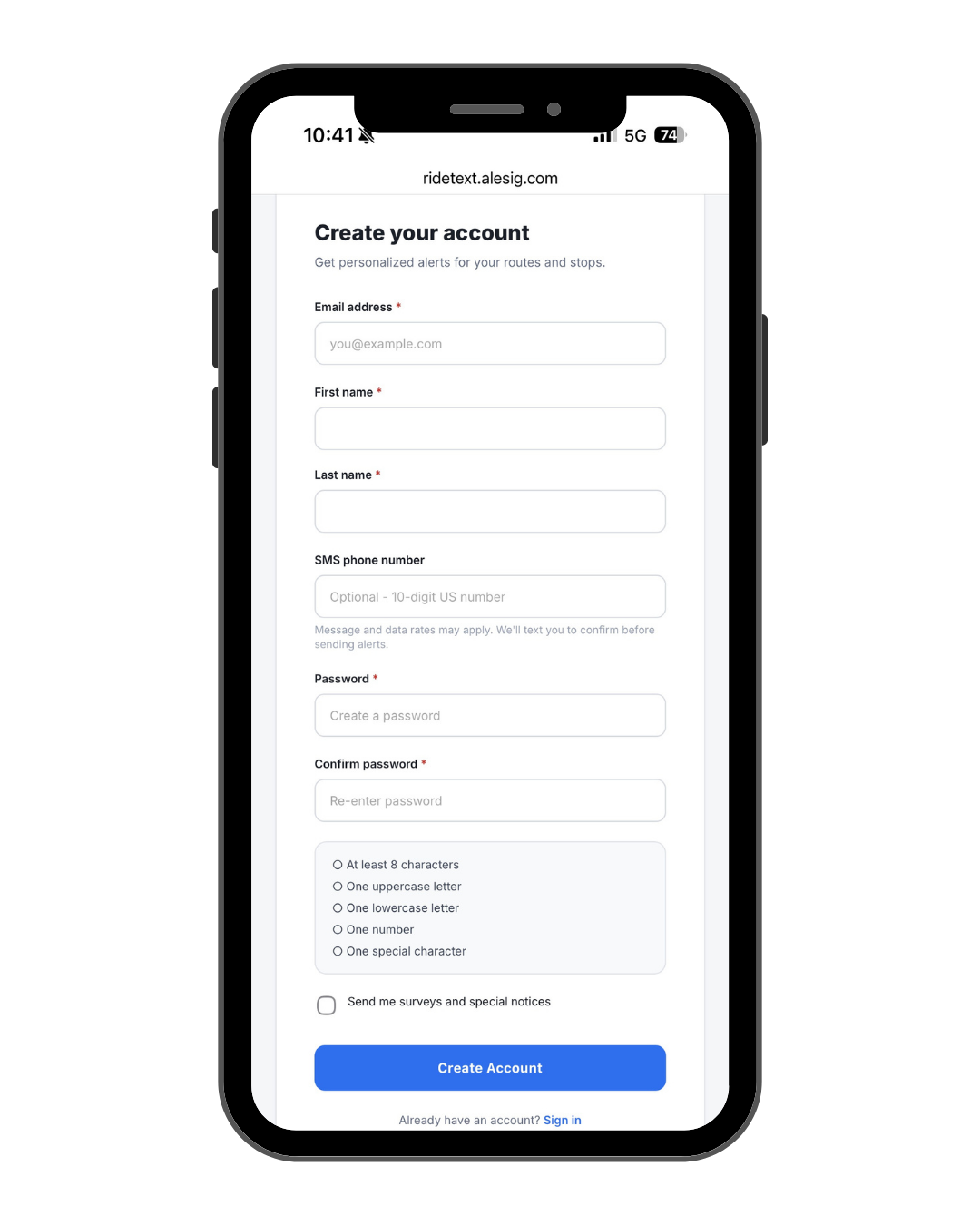
To set up your GoCentroBus Alerts Portal first go to Centro - Create an Account. Fill in the required fields in the form and then set up a password.
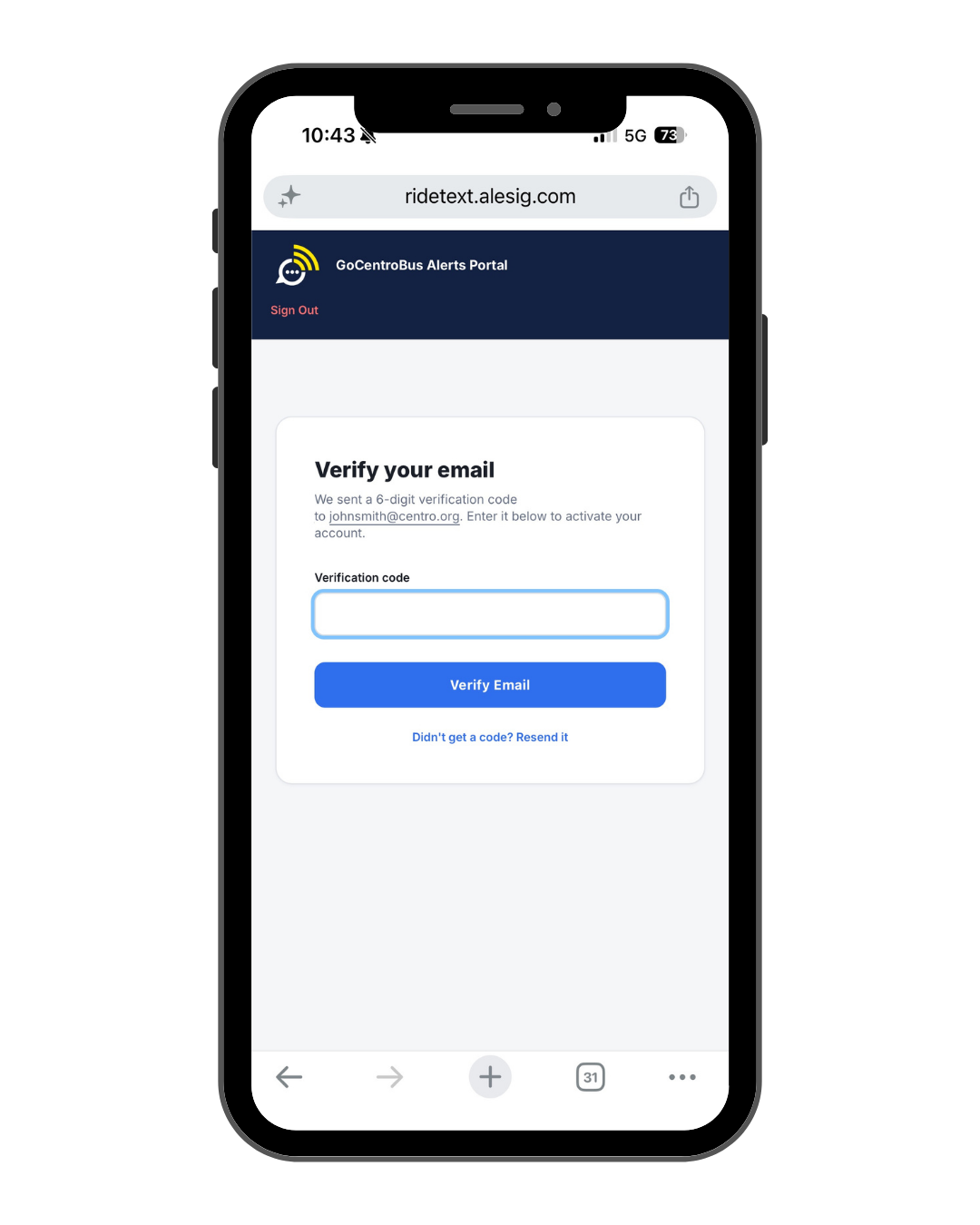
It will then ask you to verify your email.
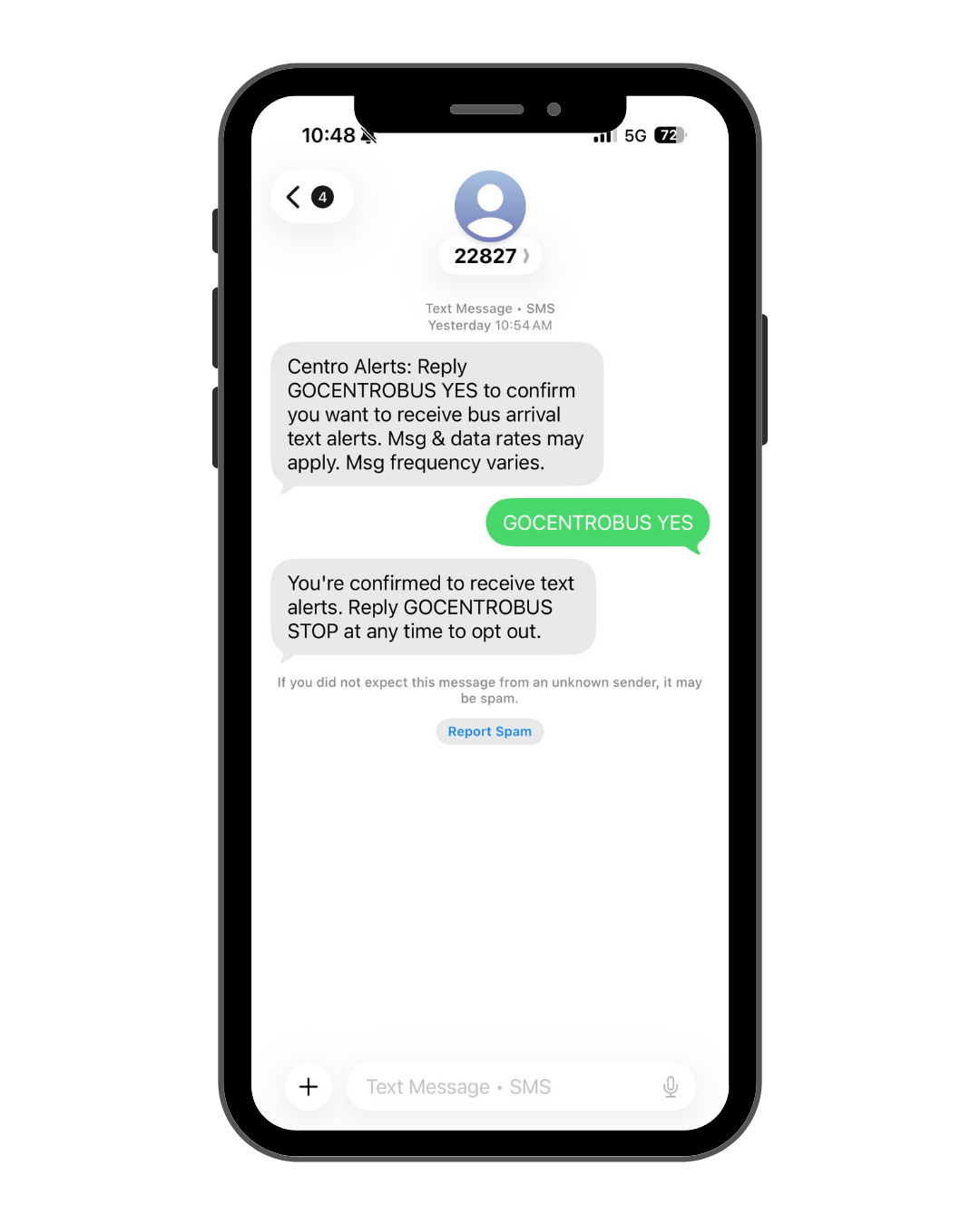
If you would like to receive text messages (SMS), please reply to the subscription message with “GOCENTROBUS Yes.”
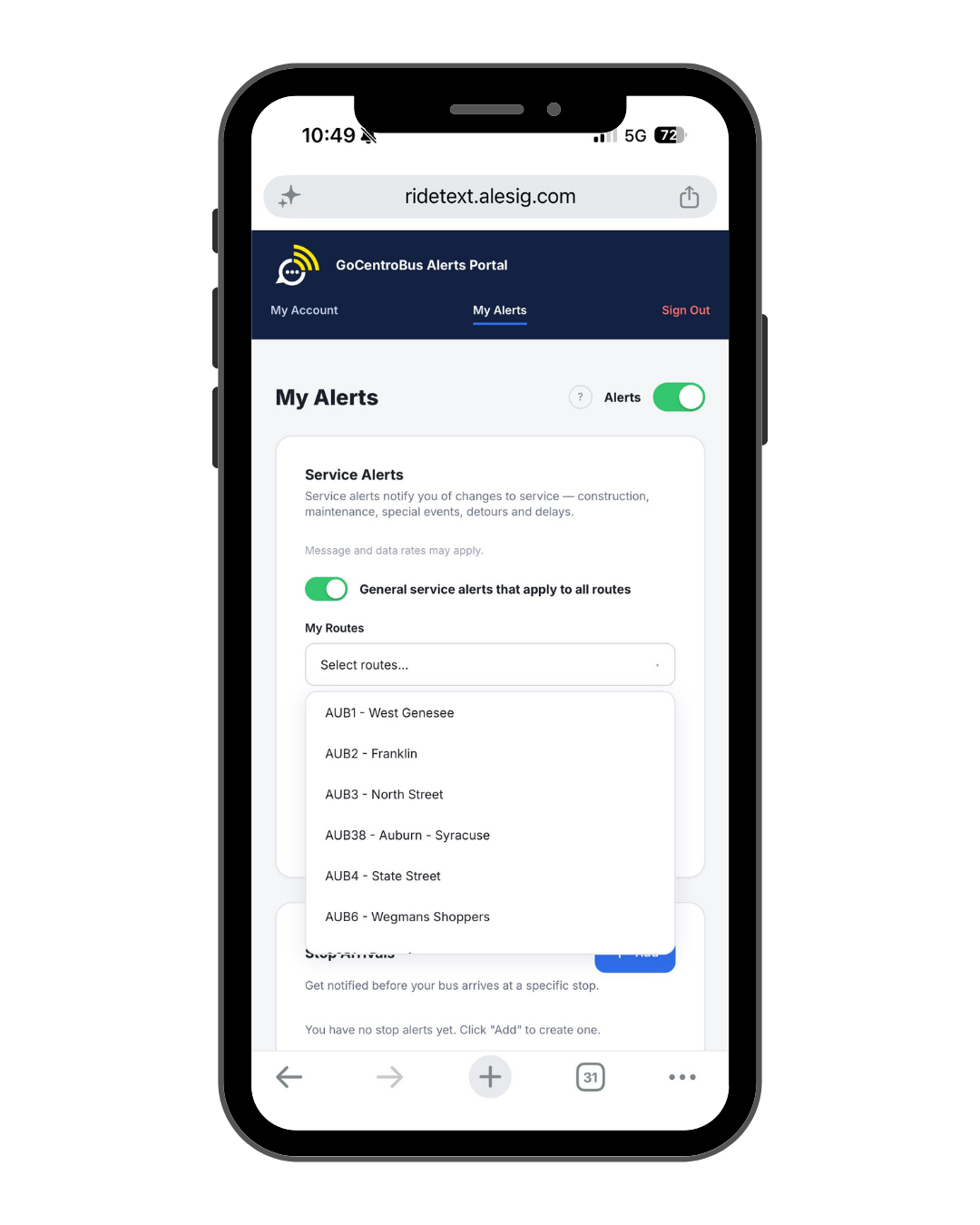
Once your account has been made, you can now select whether you want system wide alerts, select specific routes you would like information on, and choose how to get your alerts (email or SMS).
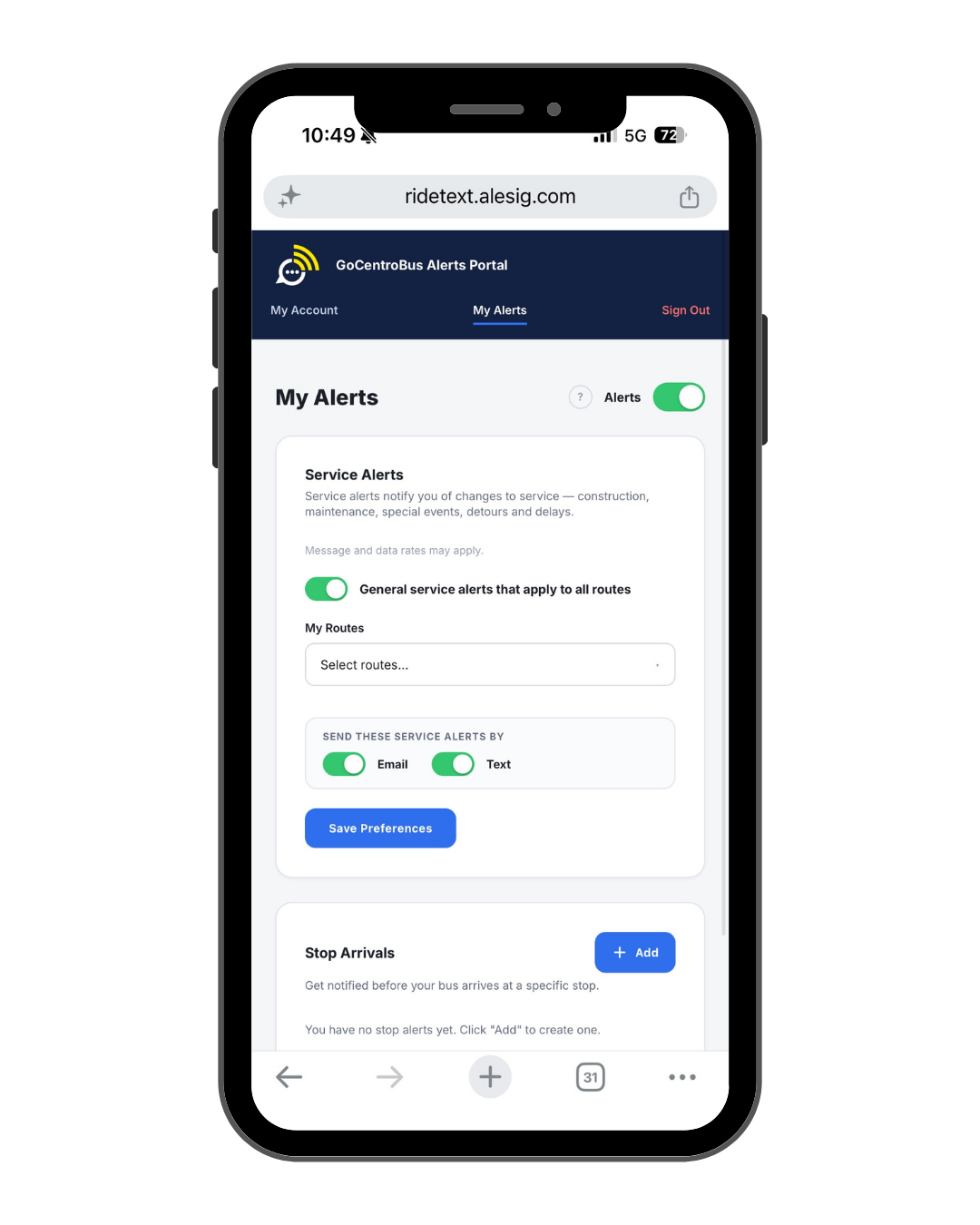
When selecting individual routes to get alerts on, you must select routes one at a time. The routes you selected will show up under my routes in a blue bubble.
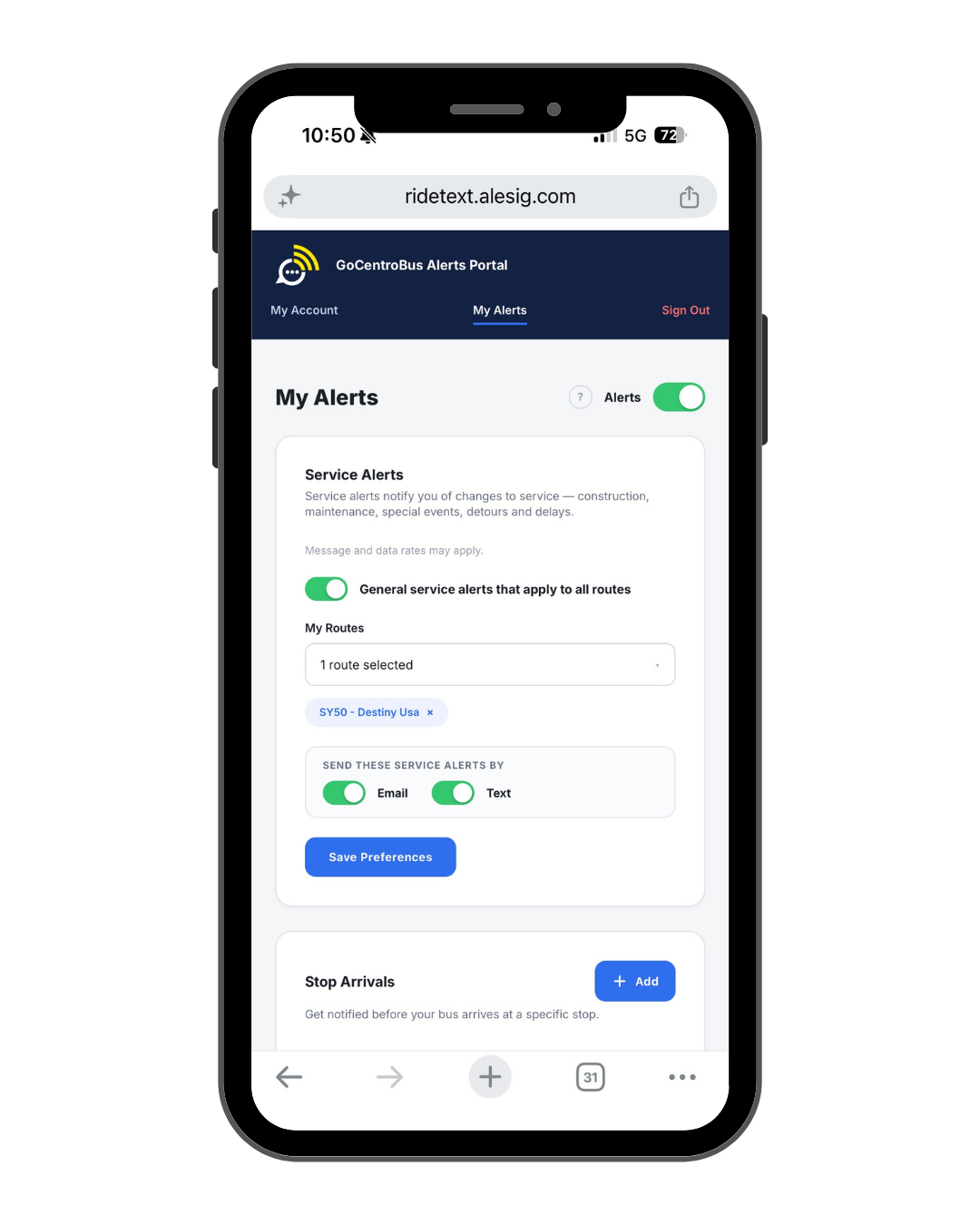
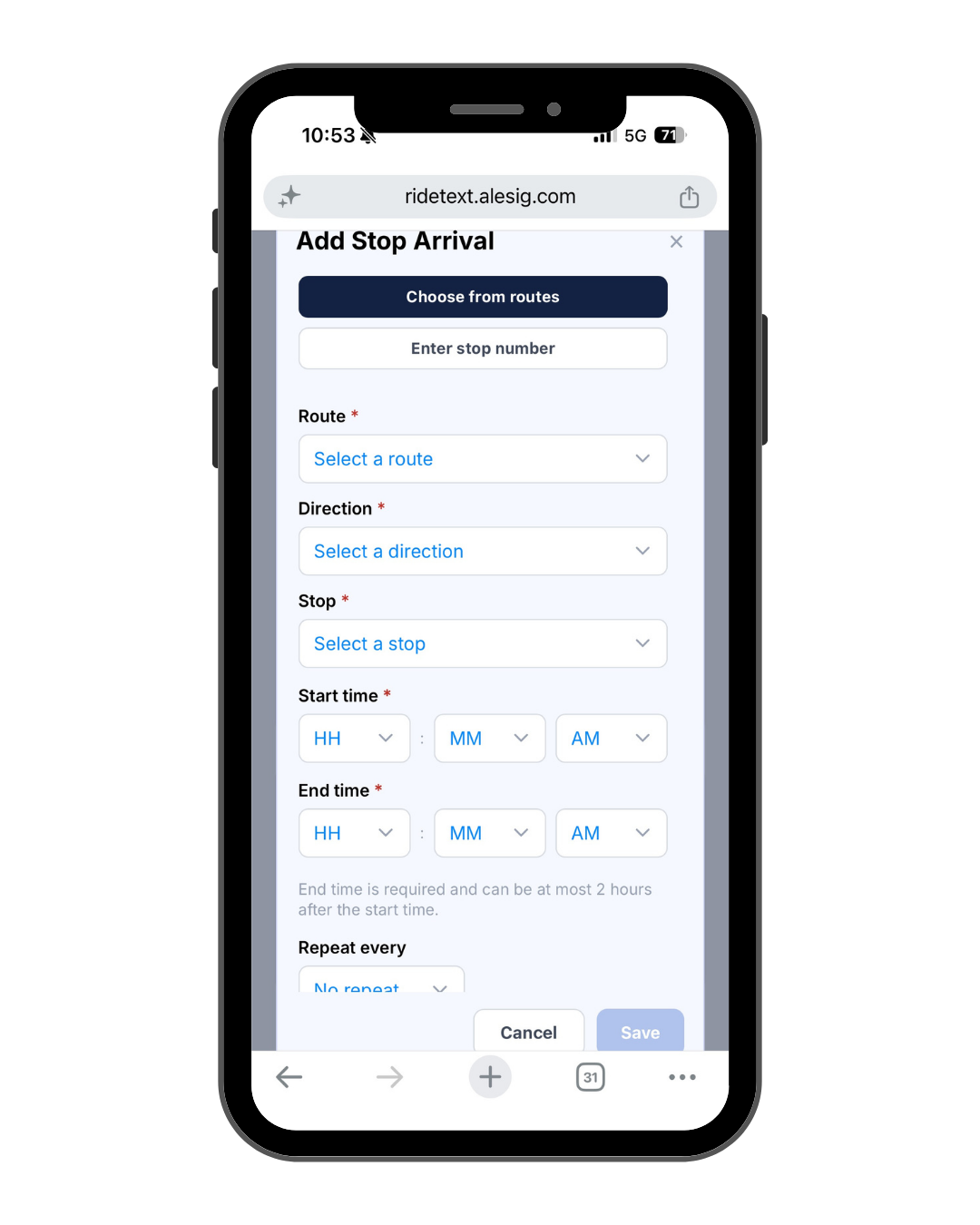
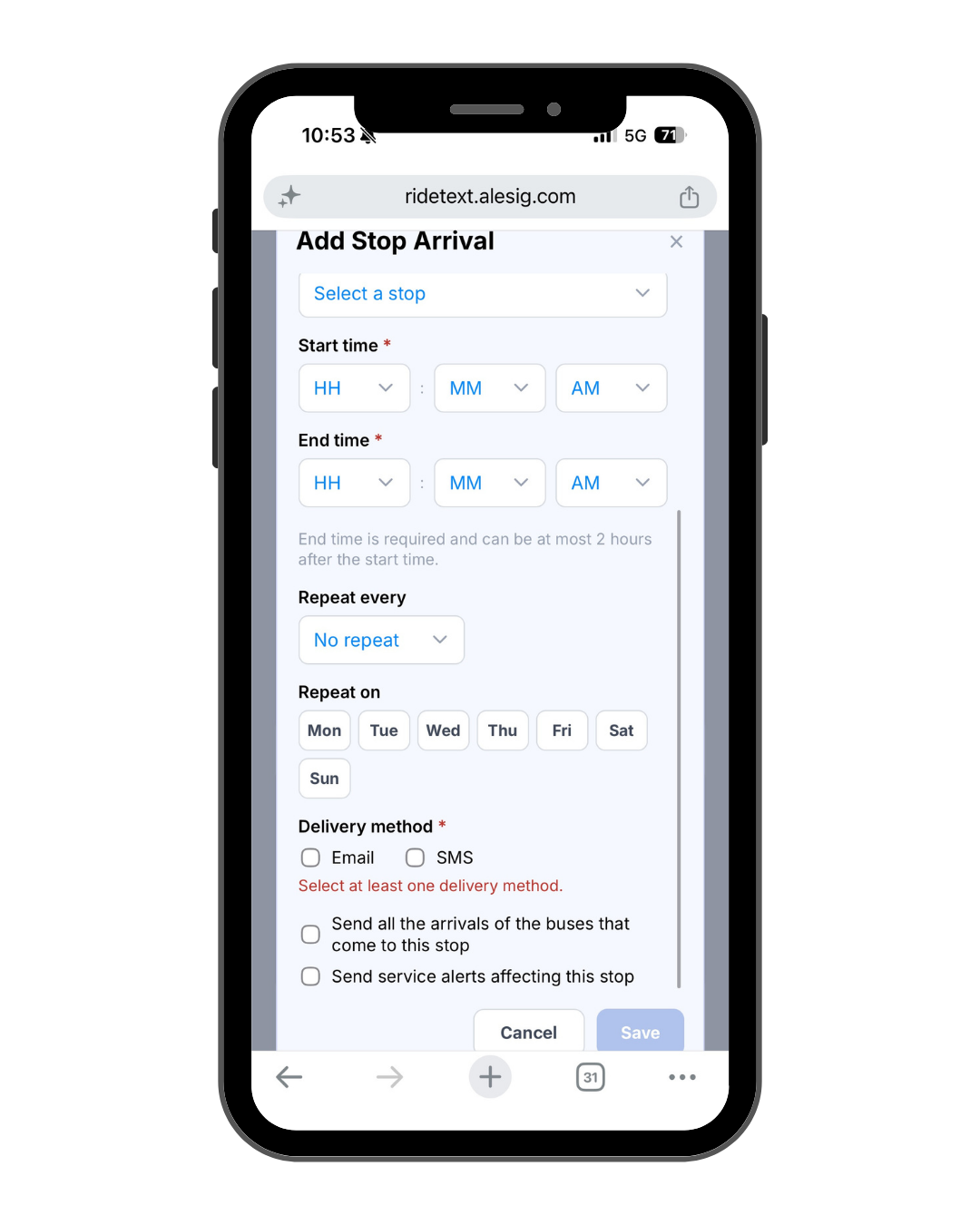
Want to add stop specific alerts? To add stop specific alerts select "Add" under stop arrivals. Then choose the route, direction, and stop. Finally, select the start and end time and whether you want to repeat the alert.
You are now signed up for GoCentroBus Alerts!