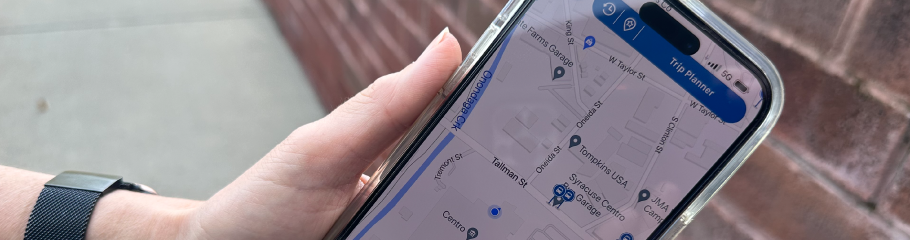
GoCentroBus MOBILE APP
Mobile Ticketing is Here! See tutorial video below for more information.
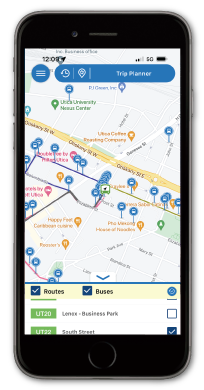
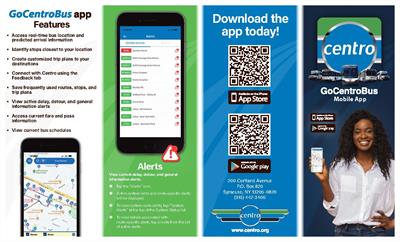
GoCentroBus app Features
- Purchase and use mobile ride passes
- Access real-time bus location and predicted arrival information
- View current bus schedules
- Identify stops closest to your location
- Create customized trip plans to your destinations
- Save favorite routes, stops, and trip plans
- View active delay, detour, and general information alerts
- Access current fare and pass information
- Connect with Centro using the Feedback portal
Download it FREE for your iOS
and Android devices at


Is Your GoCentroBus app Up to Date?
When new schedules go into effect, your GoCentroBus app may need to have its cache cleared. This will ensure that all displayed schedule data is up to date.
Here's how to clear the GoCentroBus app's cache:
On an Android Device:- Go to the Settings menu in your notification shade.
- SelectApps (or Applications, depending on your device) in the menu, then select the GoCentroBus app.
- Tap on Storage, then press the button for clearing the cache and app data.
Here's how to clear the GoCentroBus app's cache:
On an iOS Device:To access new data on an iOS device, you may need to delete and reinstall the GoCentroBus app.
- Press and hold down the GoCentroBus app icon until all the icons begin to jiggle.
- Tap the X in the upper-left corner of the App.
- Tap the Delete button.
- Select the App Store button and re-install the GoCentroBus app.

To learn more about how to use the accessibility features on iOS devices click here.
To learn more about how to use the accessibility features on Android devices click here.
Copyright © 2026, Central New York Regional Transportation Authority (Centro)